Music Graph Project: Adding Bands to the Graph
Claude and I added added the bands to graph. I noticed that bands could connect to multiple genres and this does not look good. I ended up going with a primary genre to prevent this. I do enjoy bouncing design idea off the LLM. Tt helps me understand what could happen if I try something, without having to actually try it and test it out or spend time looking for examples on the web. Below is the blog post written by Claude with a few minor edits from me.
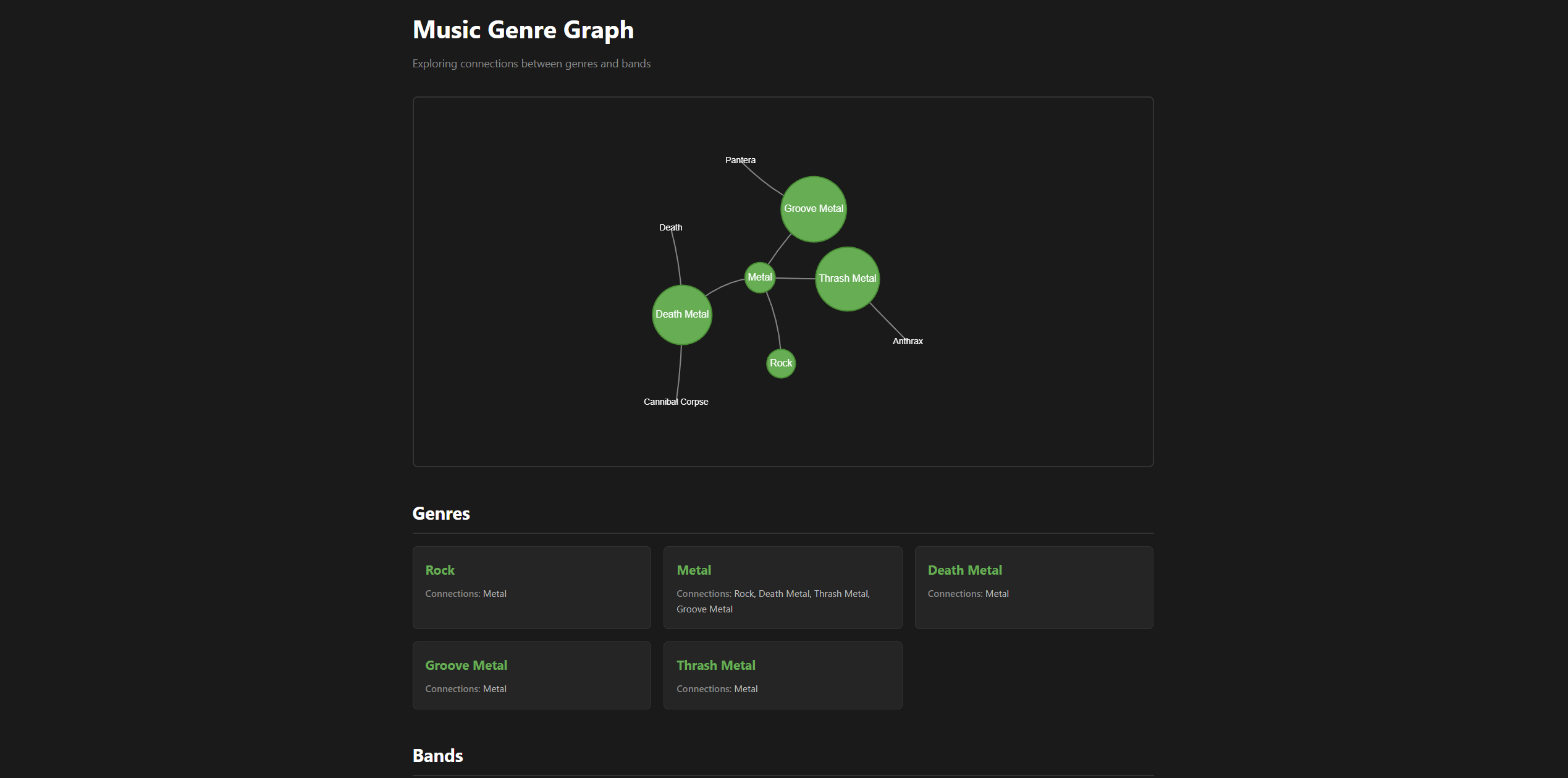
Added bands to the graph visualization today. They now appear as text nodes connected to their genres.
The Challenge
Bands needed to display differently from genres - less visually prominent but still connected. The bigger challenge was handling bands that belong to multiple genres.
Take Pantera: they’re tagged as both Groove Metal and Thrash Metal. Should the graph show two connections? That would create visual clutter and misrepresent the relationship.
The Solution
Added a primary_genre field to the band data structure:
"pantera": {
    "name": "Pantera",
    "primary_genre": "groove-metal",
    "genres": ["groove-metal", "thrash-metal"]
}
How this works:
primary_genredetermines where the band appears in the graph (single connection)genresmaintains the full list for metadata and future features
In the graph, Pantera connects only to Groove Metal. But the full genre list is available for when we add band detail views in Phase 1.5.
Visual Design
Bands render as simple text nodes using Vis.js shape options:
{
    id: 'pantera',
    label: 'Pantera',
    shape: 'text',
    font: {
        color: '#ffffff',
        size: 14
    }
}
No circles or boxes - just the band name with a line to its primary genre. This keeps genres as the visual focus while still showing band relationships.
Screenshot
Current State
The graph now displays:
- Genres as green circles (prominent)
- Bands as white text (subtle)
- Connections showing hierarchy
You can drag nodes, zoom, and pan. The physics engine keeps everything balanced.
What’s Next: Phase 1.5
My son Aidan, who helped design this project, has a specific vision for interaction: click a genre to expand it and see its bands. Click a band to see all its genre tags and details.
This keeps the graph clean by default (genres visible, bands hidden) while making the full data accessible through interaction.
Next session: implement expand/collapse functionality.
Code
This release is tagged as v0.0.3-alpha.
This is part of the Music Genre Graph project series. See the project introduction for the full roadmap.